
Activision’s latest Call of Duty installments in Modern Warfare II and Warzone 2 have turned out to be quite popular among the players worldwide. However, these two games have also gone through various situations of facing unexpected reactions from the fans due to multiple gameplay-related issues and bugs.


While currently there are multiple annoying glitches that are found in Call of Duty Modern Warfare II and Warzone 2, one in particular has caused a lot of frustration among the users. This is the Puget Altus error that prevents them from playing the games altogether. When coming across this bug, they get disconnected completely. But now they need not worry anymore. Fortunately, there are several helpful tips they can use to get rid of it.
Watch What’s Trending Now!
Follow these crucial steps to fix the Puget Altus error in Call of Duty Modern Warfare II and Warzone 2
This error usually occurs when either the servers are busy or the console/PC fails to connect to the internet. Hence, there are two ways one can try to solve this issue in Call of Duty MWII and Warzone 2.
Firstly, if the problem is regarding the internet, players should follow these necessary steps:
- Turn the internet router on and off.
- They should close any program which is using a lot of bandwidth.
- They should reconnect the internet to their console or the PC.
If the above steps prove to be ineffective, players need to restart their given system. Moreover, they can also contact their internet service provider.
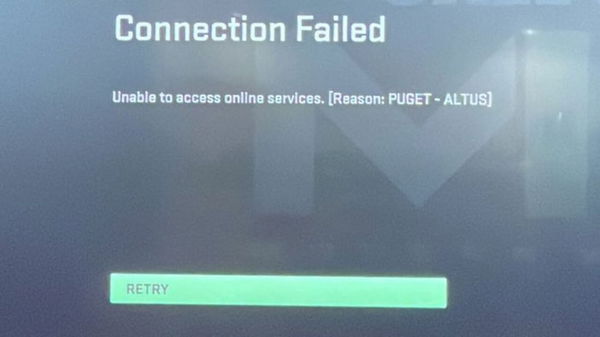
However, if the overall problem is connected to the main Call of Duty servers, then players will need to wait. Because they can’t do anything in this situation unless Activision ends up fixing the servers from their side. Thankfully, players can check the status for Modern Warfare II and the battle royale game’s servers by going to the Online Servers page.
Activision‘s Modern Warfare II and Warzone 2 are now available across the globe on PS5, PS4, Xbox Series X|S, Xbox One, and PC. Have you faced the aforementioned error so far while playing any of these titles? Let us know in the comments down below.
WATCH THIS STORY: Top 5 Best Selling Call of Duty Games of All Time
Written by

Edited by

Gideon Mathson