
Ever since its debut last year in November 2022, Activision’s latest battle royale entry in Call of Duty Warzone 2 has witnessed a rollercoaster ride. That’s because some players have liked it for its new approach while others haven’t. It’s also due to certain features that are now present in the game. For example, the crossplay functionality is something not every player is fond of. Especially when they don’t want to interact with any other platform user.


The situation with Warzone 2 is that it heavily focuses on cross-platform progression. Hence, the feature is enabled by default to make players of all platforms engage with each other. However, those who don’t want it at all do have the option to turn it off.
Watch What’s Trending Now!
Follow these right steps to disable crossplay in Call of Duty Warzone 2
Crossplay in Warzone 2 allows PC players to team up with users of Xbox and PlayStation. But there are times when one wants to stick to lobbies consisting of those players who are only on one specific platform. That’s when the urge to turn off the crossplay functionality comes in.
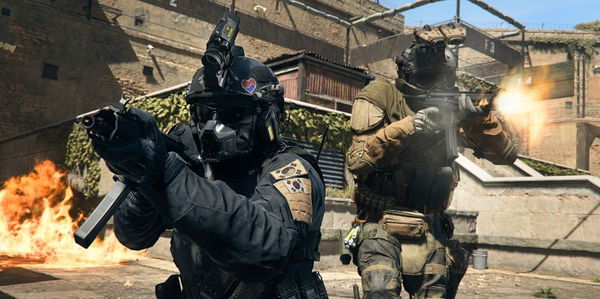
Thankfully, owners of PlayStation, as well as Xbox, have this option. Firstly, speaking of the PS users, then they can implement these steps in order to disable the feature in Call of Duty Warzone 2:
- Go into the game’s menus.
- Press the ‘Options’ button on the controller.
- Select R1 to scroll over to the ‘Settings’ option.
- Keep going down and select the ‘Artwork and Network’ option.
- Find the option for crossplay and turn it off.
Moving further, Xbox owners can also disable crossplay in Call of Duty Warzone 2. These are the steps they need to follow in order to successfully turn it off:
- Go to the homepage of Xbox.
- Enter into the ‘General Settings’ and choose ‘Online safety and family.’
- Then click on the ‘Privacy and online safety’ option.
- Select ‘Xbox Privacy’ and then ‘View Details and Customize.’
- Go to ‘Communication and Multiplayer.’
- Select the option of ‘Cross-network play.’
- Click ‘Block’ to disable the crossplay feature permanently.
There’s a piece of sad news, however, for PC players. For them, there’s no real solution to this situation. Hence, they will have to face mixed lobbies consisting of cross-platform users. As of now, there’s no way for them to turn off this functionality.
WATCH THIS STORY: Top 5 Best Selling Call of Duty Games of All Time
