
Microsoft’s Xbox series consoles offer fans very high visual fidelity. Gamers can experience almost all of their library in 1440P or 4K with HDR10 or Doby Vision enabled. For those unfamiliar, Doly Vision is an excellent feature that has been exclusive to Xbox consoles ever since its launch.
Watch What’s Trending Now!
But many find it hard to find the right balance for their HDR settings. Hence, here are some tips for gamers who wish to play the upcoming Xbox-exclusive Starfield with the best visuals possible.
A couple of Tricks to get the best HDR on Xbox series consoles!
Microsoft has done an insane job of enhancing the player experience on their consoles. Gamers get the best visual quality and unmatched backward compatibility on these consoles. What’s even better is the fact that players can even play Xbox 360 games with enhanced resolution and a bunch of modern bells and whistles.
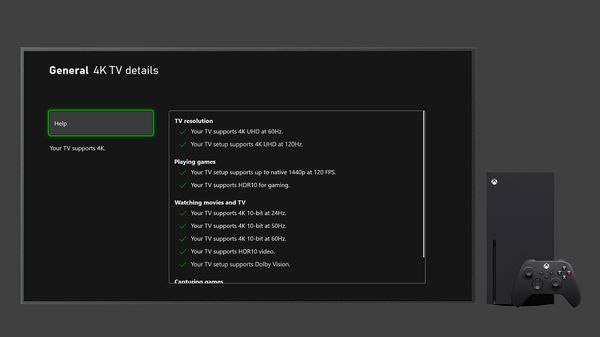
One such bell is HDR10 functionality. This feature basically alters the brightness and contrast of an image to offer the most natural image quality possible. It is truly a revelation, but it can easily go wrong and give players a very bad impression of its workings.
Hence, to prevent this, we recommend players do the following: Go to the HDR Calibration app on your Xbox X or S. To get there, Xbox owners just have to press the Xbox button, then select Profile and System, then go to settings, general, followed by TV & Display options, and finally Calibrate HDR for games.
Read More: Is Starfield Going to Be Red Dead Redemption in Space?
Once there, just press the rear bumpers, which trigger all four at the same time, and they get the exact levels of brightness, saturation, etc. on the screen. From there, they can search the internet for the best settings for their own TV. As these settings vary from TV to TV and as HDR usually works best depending on the highest brightness level of one’s TV.
Wait so u have to disable Dolby vision
— The Bacon Life (@TheBaconLife1) August 1, 2023
Another trick is to disable Dolby Vision, as it only works best on very high-end TVs. HDR10 is a more universal format and gives better and more noticeable effects to an untrained eye anyway. Hence, we recommend fans give this trick a try and let us know if it improves their Starfield experience in any way!
It is pretty evident from the trailers that this game would benefit greatly from this feature, given the fact that it takes players on a ride through space. Those scenes would really stand out with HDR.
Watch this story: Starfield: Everything To Know About Spaceship Customization
Written by

Edited by

Harshita