
Call of Duty Mobile Battle Royale is a lot different from all the mobile BRs on the market currently. While the objective remains the same, the gameplay it demands is a lot different. Four stack squads or solo matches, CODM BR takes a simple objective game to a higher standard.

One problem lies in the matchmaking process. Currently, the battle royale is not as crowded as the multiplayer in CODM. Therefore, players often encounter a lot of bots on most servers. Things might rapidly change with the new season coming in hot. The anniversary season will bring a lot of changes to BR and even add a new map that has been leaked– Alcatraz.
Watch What’s Trending Now!
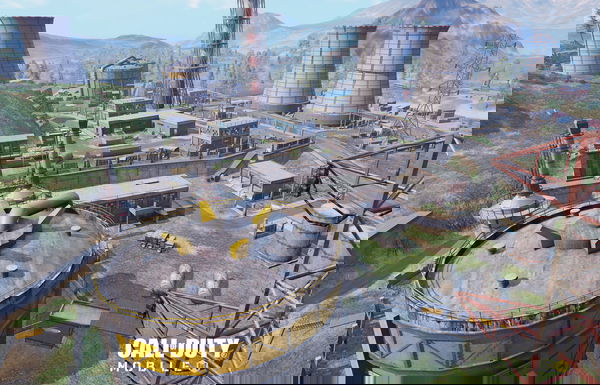
Before the new season kicks in, a bit of rummaging around the ‘Isolated’ island might help players to ace every match in Season 11. To play a good BR match, player settings are of the utmost importance. More so if you are a regular only in multiplayer.
The basic difference between a BR and Multiplayer lies in the field of perspective. Multiplayer involves more singular perspective matches. Players have roles assigned in each match and playing the objective is primary.
In BR, roles are varied and diverse. Furthermore, there are tons of gameplay varieties for Battle Royale. Players can be aggressive, zone-based, or initially camp out with great loot and utilities to hit hard in the end.
Read on to find out the best settings we recommend for BR.
Read More– Call of Duty Mobile: Anniversary Season Battle Pass Leaked
Recommended settings for Call of Duty BR
HUD settings
Depending on whether you are a thumb or claw player, the settings might vary. But we will keep them generalized for both styles.
First off, try to keep the firing button large. Both the buttons can be on one side if you are playing thumbs, or even for claw. This will help in not losing the button while in a hasty gunfight.
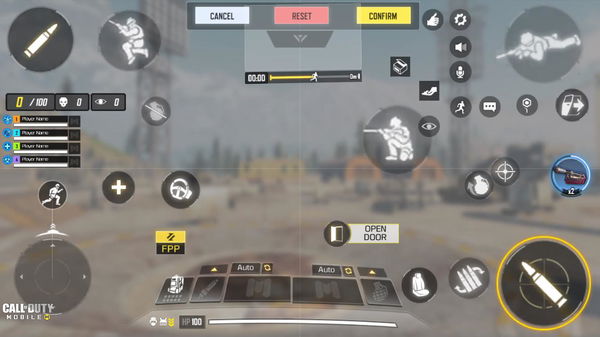
It is recommended to use manual ADS, and not the one-tap ADS. While manual ADS sounds like a waste of time, it is far more accurate than the other. Also, BR involves a lot of precision long-distance shooting, and manual ADS is the best for this purpose. With a bit of practice, any player can be as fast as auto-ADS.
Design the rest of the HUD according to your finger placements and objective preference. One good tip would be to keep your movement button small to be a lot quicker.
Sensitivity settings ( Camera)
- Third Person Sensitivity- 130-145
- FPP View Turning Sensitivity- 75-80
- Optics- 80
- Tactical, 3x, 4x – 60- 70
- 6x- 40-45
- Sniper, 8x- 25-30
Sensitivity settings ( Firing)
- Third Person Sensitivity- 75-80
- FPP View Turning Sensitivity- 80-85
- Optics- 75-80
- Tactical- 75-80
- 3x, 4x – 35-40
- 6x- 40
- Sniper, 8x- 20-30
Watch this space for more news on Call of Duty.
